Miro vs Lucidspark: A Complete Feature-by-Feature Comparison for 2026
Introduction
If you’re comparing Miro and Lucidspark, you’re likely exploring which digital whiteboard aligns best with your team's way of working. Both tools are built for collaboration, brainstorming, and visual thinking, and at first glance, they seem very similar. But once you start using them, differences in structure, workflow, and collaboration style become more noticeable.
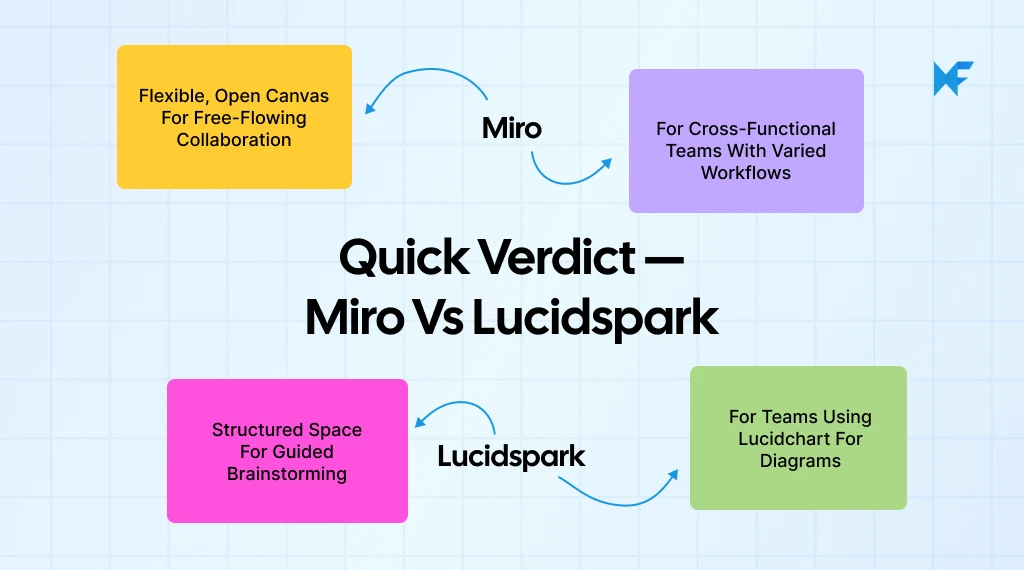
Miro is known for its extensive features, ecosystem of integrations, and flexibility - making it suited for teams that want a platform capable of supporting everything from ideation to planning and documentation. Lucidspark, on the other hand, focuses on a streamlined experience that complements Lucidchart, with strong facilitation tools and a workflow designed for teams who want clarity and guided collaboration.
Somewhere in that gap is the real question you’re trying to answer: Which tool actually helps our team think better together? Not theoretically, not in a feature checklist, but in the everyday messiness of brainstorming, planning, and collaborating with real humans who work differently.
That’s where this comparison comes in. We’re breaking down Miro and Lucidspark the way teams actually use them: the canvas experience, real-time collaboration, structure, flexibility, pricing, and everything in between.
And while we are here to help you choose between the two, we’ll also give you a simpler, more focused alternative like MockFlow IdeaBoard that offers the best collaboration features while staying simple on purpose.
Let’s dive in.
Miro vs Lucidspark Comparison: Key Features & Differences
Miro vs Lucidspark compares two leading online whiteboard tools that support visual collaboration, real-time teamwork, and structured brainstorming.
Miro provides a flexible canvas, extensive templates, and broad integrations. Lucidspark offers structured diagrams, strong Lucidchart connectivity, and organized ideation flows. Both tools support workshops, live editing, and remote collaboration.
Teams choose between Miro and Lucidspark based on workflow style, integration needs, and board performance. This comparison helps users identify the best platform for brainstorming, workshops, and cross-functional collaboration.
This section breaks down the features teams evaluate most before taking a decision.